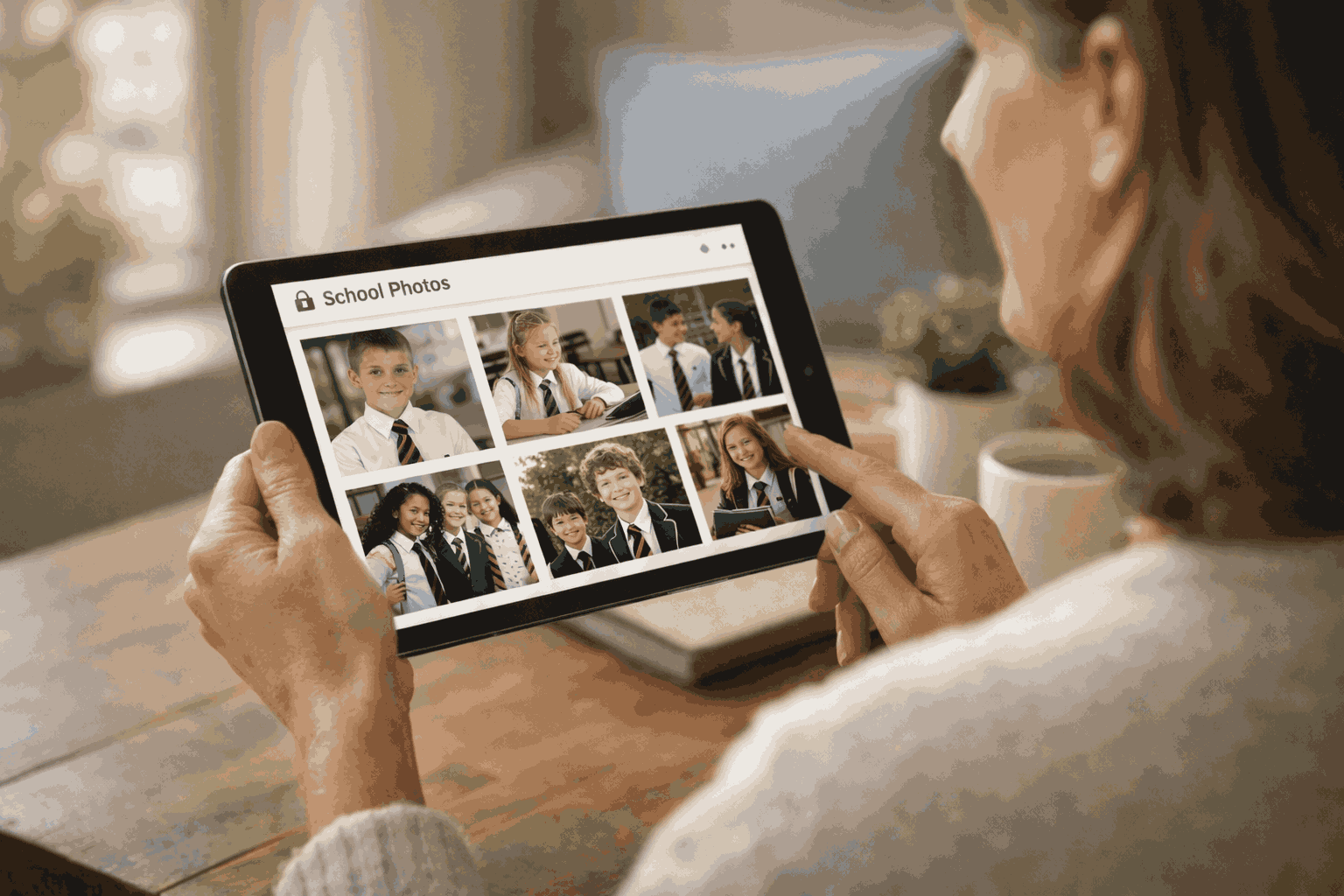
Every institution has a story worth telling. SocialArchive helps you tell every chapter.
Your school's story is not just in the past. It is being written every day. On the sports field, in the classroom, at every concert, open day and graduation.
SocialArchive gives your marketing, admissions and communications teams a single platform to capture those moments, find them instantly and share them with confidence. Authentic stories, captured and ready whenever you need them.









SocialArchive brings together everything your institution creates, finds and tells (past and present) in one platform. Three simple steps that power everything your marketing, admissions and communications teams need
Capture it. Organise it. Share it.
HOW IT WORKS
Capture
Bring everything in.
Upload your historical archive, record testimonials, accept community submissions and capture today's events as they happen.
- ✦Upload your historical archive in any format
- ✦Record student, parent and alumni testimonials with Spoken Stories
- ✦Accept community submissions of photographs and memories
- ✦Capture today's events and add them to the archive instantly
Organise
Find anything in seconds.
Every item is automatically tagged, transcribed and searchable. Manage consent, moderate content and build campaigns without leaving the platform.
- ✦Smart search, facial recognition and automated transcription
- ✦Manage consent, permissions and safeguarding
- ✦Moderate submissions before they go live
- ✦Build campaigns and schedule content in advance
Share
Publish with confidence.
Push content to your community portal, social media, email campaigns and open day materials. Every audience sees exactly what you want them to see.
- ✦Publish to your community portal for parents, alumni and prospective families
- ✦Post directly to Instagram, Facebook and LinkedIn
- ✦Send targeted email campaigns from within the platform
- ✦Download assets for prospectus, print and open day materials
Authentic content is hard to create. Scheduling interviews, booking studios, chasing contributions. Most teams simply do not have the time. SocialArchive removes those barriers entirely.
With Spoken Stories, anyone in your community can record a video or audio story remotely, in their own time, using guided prompts. No equipment needed, no scheduling pressure. The result is a growing library of genuine voices that your marketing, admissions and communications teams can draw on whenever they need them.
Every submission passes through a moderation workflow before it goes live, so your team stays in full control of what gets published and where.
The most powerful content your institution can produce comes from the people in it.
CAPTURE
- ✦Staff can upload photographs and videos from events as they happen
- ✦Parents can share moments from school life directly into the archive
- ✦Students can contribute their own perspectives and experiences
- ✦Alumni can add memories, photographs and career stories
One platform. Every voice in your community. A content library that builds itself.
Your prompt
What would you tell a prospective student or parent?
Recently submitted
Marketing teams spend hours searching for the right photograph. Comms teams trawl through shared drives and email threads for a quote from last term. Admissions teams piece together a prospectus from whatever they can find…
SocialArchive changes that entirely.
Every item in your archive (photographs, documents, video, audio, testimonials) is tagged, transcribed and made searchable the moment it is uploaded.
Use facial recognition to find every photograph featuring a specific student or member of staff. Use smart filters to surface content by year group, activity, date or subject.
Find what you need in seconds, whether it happened last week or a hundred years ago.
The right content, in seconds. However old it is.
FIND
SHARE IT SAFELY
Share every moment. Protect every child.
- ✦Role-based permissions so parents see only content relevant to their child's year group or activities
- ✦Galleries can be private, shared with specific groups or made public. You decide, every time
- ✦Consent management is built in from the ground up. Every user's permissions are recorded and respected
- ✦For pupils who cannot appear in photographs, redaction technology identifies and removes their image across your entire archive in a few clicks. Not one photograph at a time. All of them, instantly
Schools want to celebrate their community. Open days, sports days, concerts, productions. But sharing photographs of children in an environment where safeguarding responsibilities are only increasing requires a platform that takes those responsibilities as seriously as you do.
As schools become increasingly cautious about sharing student photographs on open platforms, SocialArchive provides a secure, school-controlled alternative that keeps your community connected without compromising your safeguarding responsibilities.
Social Media
Publish & ScheduleConnect your archive directly to Instagram, Facebook and LinkedIn. Find a photograph, write the caption and schedule it, all without leaving SocialArchive. Or export and download to post yourself if you prefer. Your channels stay active without your team having to think about what to post next.
Video Creation
Built in minutesEnter your criteria. A year group, a sport, a date range. SocialArchive builds the video from your archive automatically. Download, share or embed. Canva integration available for fully branded output.
Send targeted email campaigns directly from SocialArchive, personalised to each audience. Parents, prospective families, alumni. Each receiving something relevant to them, from the same platform your team is already working in.
As well as publishing to your community portal, SocialArchive gives you the tools to reach your audience wherever they are. Social media, email, video and print. One archive powers all of it.
Your archive never runs out of things to say.
PUBLISH
Feature Spotlight
Virtual Spaces. Every room. Every memory. Every story.
Give prospective families, current students and alumni a way to explore your institution from anywhere in the world. Virtual Spaces lets you build interactive tours layered with archive content, student, staff and alumni voices, videos and history.
Interactive hotspots link to archive content, voices and stories
In use · Stover School
Stover School created a virtual tour of their historic Mansion House, giving prospective families a genuine sense of the building before visiting. For alumni, it became something more personal. A chance to revisit the dormitories that are now humanities classrooms, walk the corridors they remembered and relive memories of a building that shaped their school years.
GET IN TOUCH
Storytelling made stronger. Marketing made simpler.
Whether you are looking for a better way to find and share content, hoping to capture more authentic voices from your community, or wanting to give prospective families a more meaningful experience of your institution, we would love to show you what SocialArchive can do.
- ✦No obligation demo, tailored to your institution
- ✦Speak to a team member who understands your sector
COMMON QUESTIONS
Frequently asked questions
Everything you need to know about SocialArchive's marketing, admissions and communications capabilities.